Investigating iOS BeReal
31/07/2025 Friday
BeReal is a social media application designed around sharing real-time
photo updates with friends. On iOS devices, BeReal application data may
include account profile details and contact-related cache records when
the related application cache files are available.
Digital Forensics Value of iOS BeReal
iOS BeReal artifacts can provide useful context in investigations where
social media account ownership and contact relationships need to be
reviewed. Account records may preserve the account creation time, full
name, nickname, phone number, user picture URL, birthday, country code,
time zone, device information, and account UID. Contact records may
include contact names, nicknames, UIDs, profile picture URLs, and phone
numbers. These details can be used to associate BeReal activity with a
specific user profile, identify related contacts, verify device and
account indicators, and correlate social media activity with other
mobile artifacts.
Location of iOS BeReal Artifacts
iOS BeReal artifacts are commonly stored inside BeReal cache folders
within the iOS application data container. The parsed records may be
associated with the following paths:
/private/var/mobile/Containers/Data/Application/<APP_UUID>/Library/Caches/disk-bereal-ProfileRepository/<CACHE_FILE>
/private/var/mobile/Containers/Data/Application/<APP_UUID>/Library/Caches/disk-bereal-RelationshipsContactsManager-contact/<CACHE_FILE>
/private/var/mobile/Containers/Data/Application/<APP_UUID>/Library/Caches/disk-bereal-RelationshipsFriendsListManager<CACHE_FILE>
The <APP_UUID> value represents the iOS-assigned application
container identifier, and <CACHE_FILE> represents a BeReal cache
file name created by the application. These values can differ between
devices, backups, and extractions, while the internal BeReal cache paths
identify the artifact locations used for the parsed records.
Analyzing iOS BeReal Artifacts with ArtiFast
This section will discuss how to use ArtiFast to extract iOS BeReal
artifacts from iOS device files and what kind of digital forensics
insights can be gained from the artifacts.
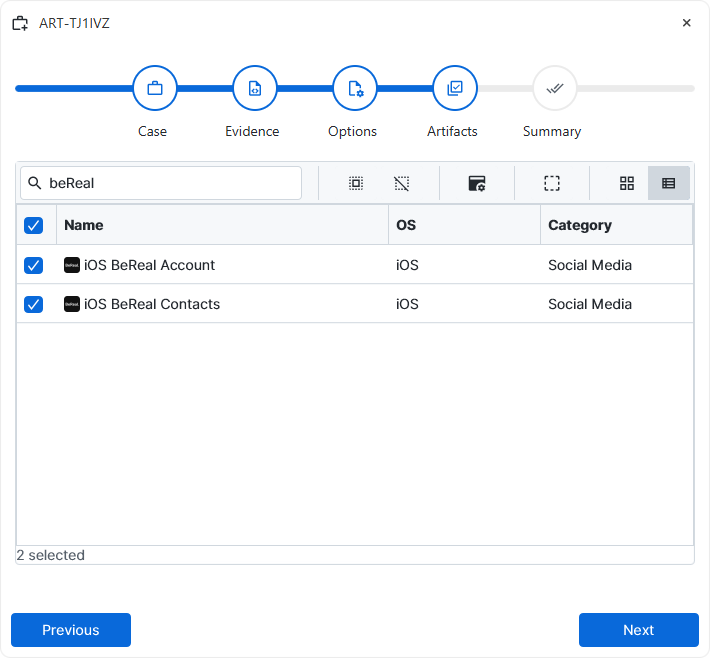
After a case has been created and evidence has been added for the
investigation, at the Artifact Selection phase, the iOS BeReal artifact
parsers can be selected:
×
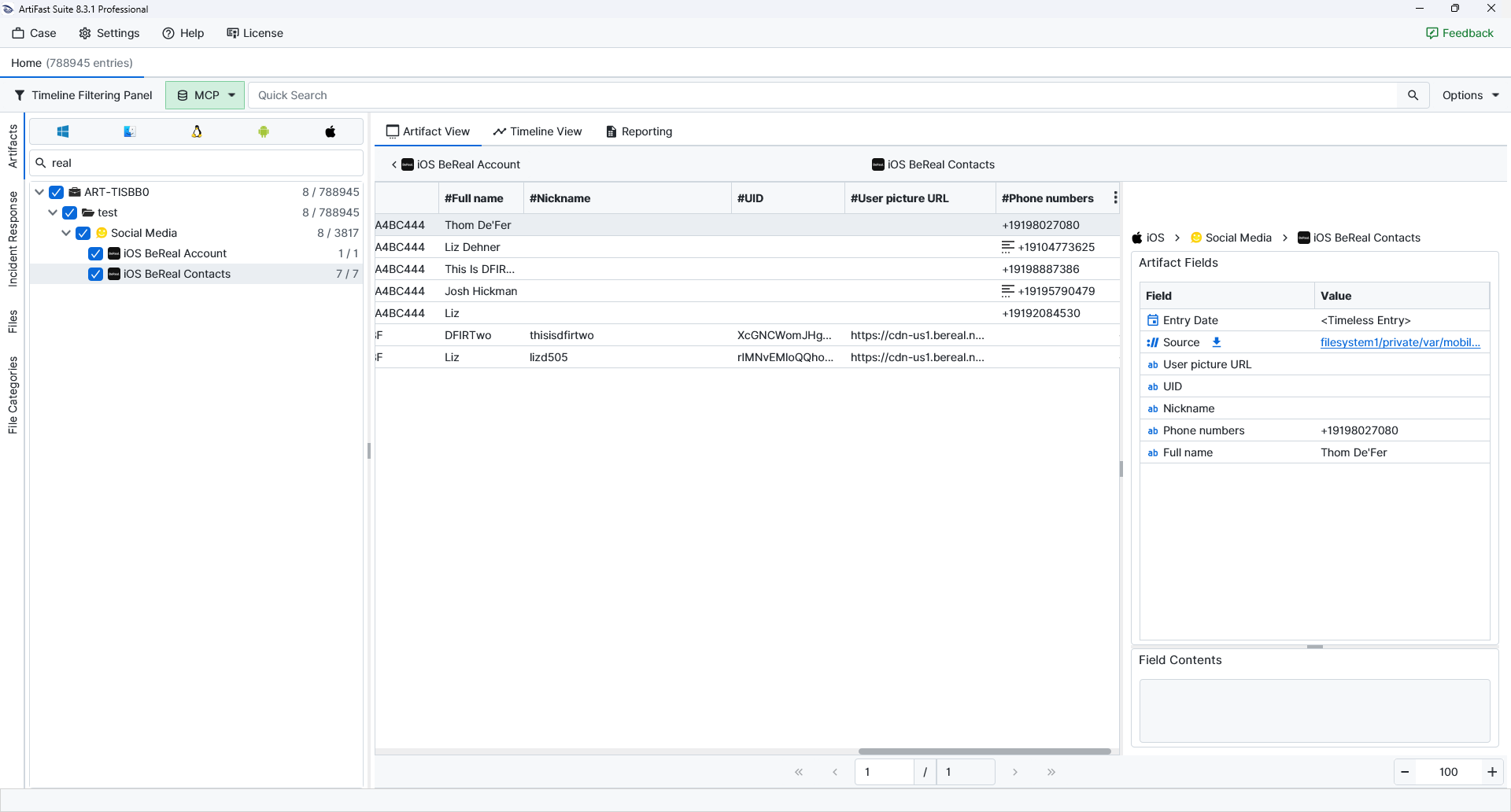
Once ArtiFast parsers plugins complete processing the artifacts for analysis, they can be reviewed via Artifact View or Timeline View, with indexing, filtering, and searching capabilities. Below is a detailed description of iOS BeReal artifacts in ArtiFast.
iOS BeReal Account
- Created Date/Time: Records when the BeReal account was created.
- Source: Points to the BeReal cache file from which the record was parsed.
- Full Name: Names the BeReal profile or contact saved in the cache.
- Nickname: Keeps the username or nickname value retained by BeReal.
- Phone Number: Records the phone number associated with the BeReal account.
- User Picture URL: References the profile image URL retained in the BeReal cache.
- Birthday: Stores the birth date associated with the BeReal account profile.
- Country Code: Records the country code saved in the account profile.
- Time Zone: Identifies the time zone associated with the account or device.
- Device: Records the device model and system version value retained by BeReal.
- UID: Provides the BeReal identifier tied to the profile or contact record.
iOS BeReal Contacts
- Source: Points to the BeReal cache file from which the record was parsed.
- Full Name: Names the BeReal profile or contact saved in the cache.
- Nickname: Keeps the username or nickname value retained by BeReal.
- UID: Provides the BeReal identifier tied to the profile or contact record.
- User Picture URL: References the profile image URL retained in the BeReal cache.
- Phone Numbers: Lists one or more phone numbers associated with the contact.
For more information or suggestions please contact: asli.beyhan@forensafe.com
