iOS Device Settings
05/12/2025 Friday
iOS Device Settings are used to record key configuration values that
control how an iPhone or iPad is backed up, located, and time-stamped.
In this artifact, information is stored about the most recent iCloud and
iTunes/Finder backups (including their dates and associated time zones),
the current status of cloud backup, and whether the Find My iPhone
service is enabled, as well as the date on which it was turned on. The
global state of Location Services and the device’s configured time zone
are also recorded, so that the overall backup, tracking, and
time-keeping behavior of the device can be understood from a single
view.
Digital Forensics Value of iOS Device Settings
The digital forensics value of these iOS Device Settings is derived from
the way backup, location, and time configuration information is recorded
on the device. The last iCloud and iTunes backup dates, their time
zones, and the cloud backup status can be used to determine when data
was most recently preserved, whether a backup window existed around an
incident, and whether off-device copies of evidence are likely to exist.
The Find My iPhone state and its enable date, together with the global
Location Services setting and device time zone, can be used to assess
how easily the device could be located or remotely erased, how reliably
other location and timestamped artifacts should be interpreted, and
whether changes to these settings may have been made in proximity to
relevant events.
Location of iOS Device Settings Artifacts
According to current iOS implementations, the values shown in this
artifact are parsed from several preference files stored under:
/private/var/mobile/Library/Preferences/
Information about the last iCloud and iTunes backups, their associated time zones, and the cloud backup status is stored in the binary plist file com.apple.mobile.ldbackup.plist.
The global state of Location Services is stored in com.apple.locationd.plist, while the device time zone is recorded as part of the global locale configuration in .GlobalPreferences.plist.
Analyzing iOS Device Settings Artifact with ArtiFast
This section will discuss how to use ArtiFast to extract iOS Device
Settings artifacts from iOS devices’ files and what kind of digital
forensics insights we can gain from the artifacts.
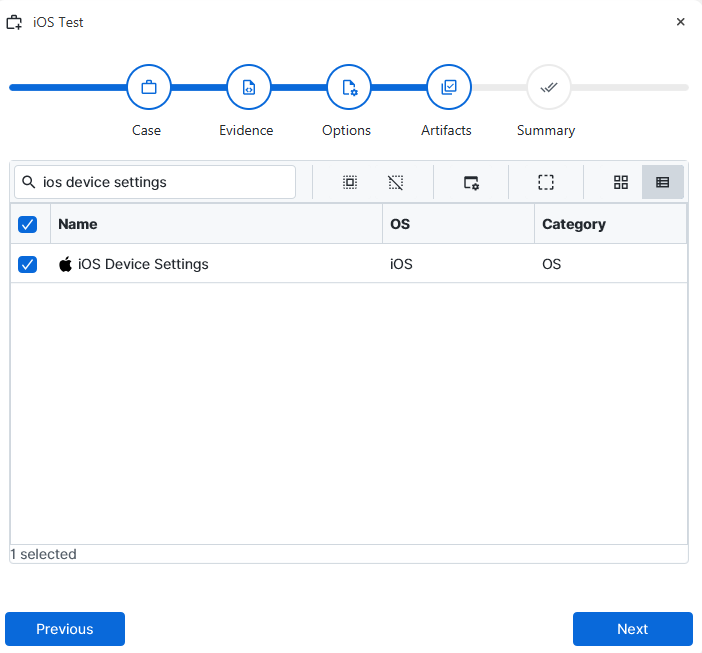
After you have created your case and added evidence for the
investigation, at the Artifact Selection phase, you can select iOS
Device Settings artifact parser:
×
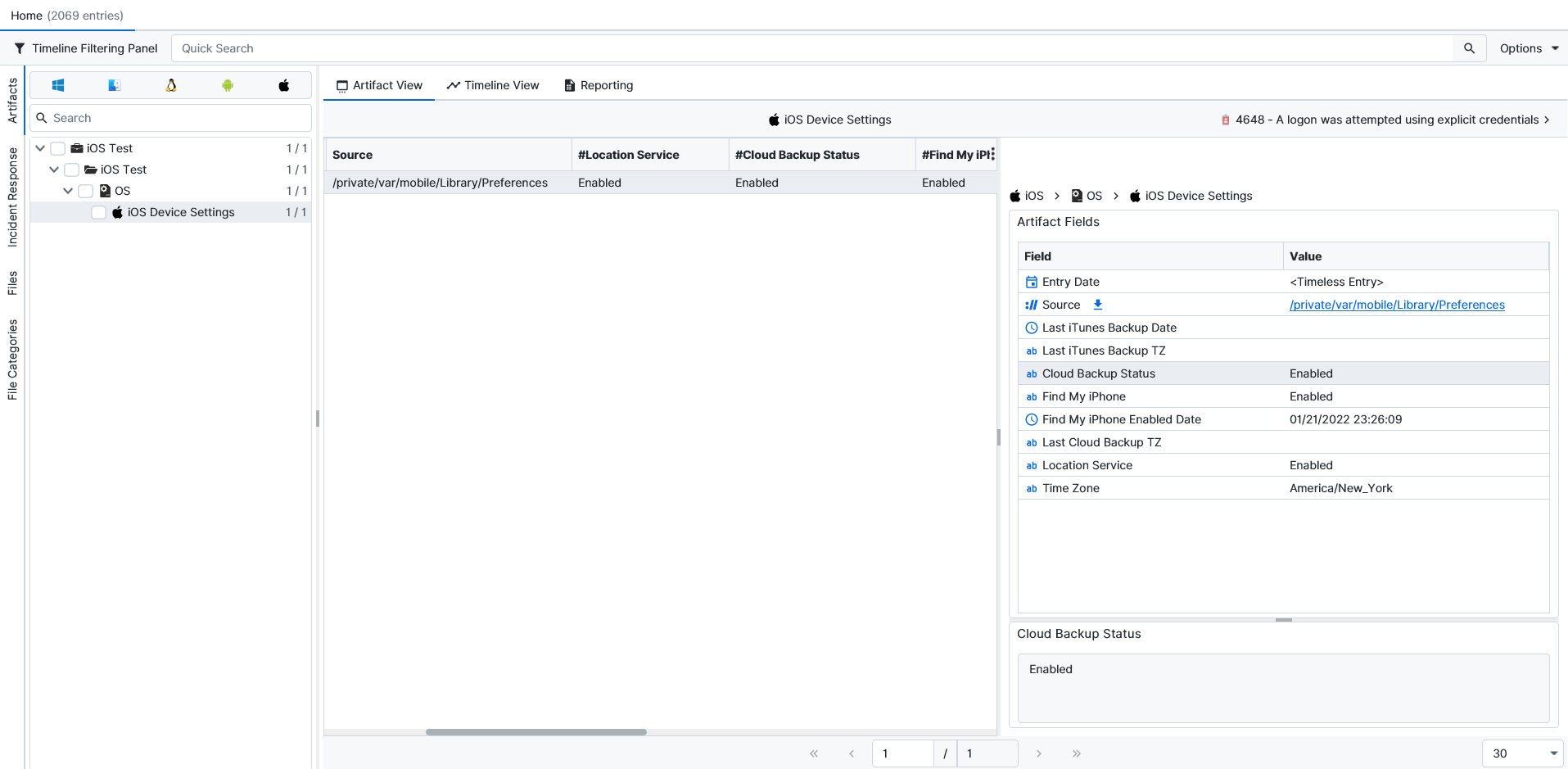
Once ArtiFast parsers plugins complete processing the artifact for analysis, it can be reviewed via “Artifact View” or “Timeline View,” with indexing, filtering, and searching capabilities. Below is a detailed description of iOS Device Settings artifacts in ArtiFast.
iOS Device Settings:
- Last iTunes Backup Date: The date and time when the most recent backup via iTunes or Finder was completed are stored here.
- Last iTunes Backup TZ: The time zone that was in effect when the last iTunes/Finder backup occurred is recorded as a time zone string or abbreviation.
- Cloud Backup Status: The current state of iCloud backup for the device is shown here (for example, whether automatic cloud backups are enabled or disabled).
- Find My iPhone: The current status of the Find My iPhone feature is recorded in this field, indicating whether the service is active on the device.
- Find My iPhone Enabled Date: The date and time when Find My iPhone was last enabled are stored here, providing a reference point for activation of the service.
- Last Cloud Backup TZ: The time zone associated with the last completed iCloud backup is recorded here so that the cloud backup time can be interpreted correctly.
- Location Service: The global state of Location Services on the device is stored in this field, indicating whether system-wide location access has been turned on or off.
- Time Zone: The device’s configured time zone (for example, Europe/Istanbul or America/New_York) is recorded here and can be used when interpreting other timestamps from the device.
For more information or suggestions please contact: ali.tora@forensafe.com
